

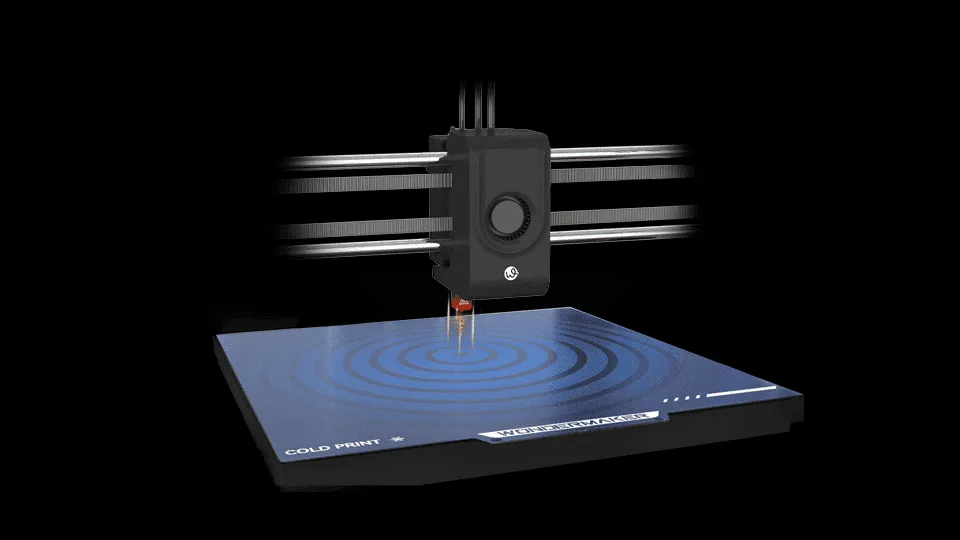
Choosing a 3D printer for multi-material or multi-color production can be confusing because terms such as multi head and multi extruder are often used interchangeably. Although the concepts are related, they can describe different hardware configurations and printing methods. Understanding how these systems work makes it easier to evaluate print quality, material compatibility, workflow efficiency, and overall operating requirements.
For users considering a multi extruder head 3D printer, the most important question is not simply how many extruders a machine has. Instead, the focus should be on how the extruders operate, how materials are managed, and whether the system matches the intended applications.
What Is a Multi Head 3D Printer?
A multi head 3D printer generally has more than one print head or nozzle assembly available during a printing process. Each head can be assigned a different filament, color, or material depending on the printer’s design.
The main advantage is that the machine can use different materials within the same model without relying on a single nozzle to handle every filament. This can be useful for multi-color models, support structures, prototypes, and parts that require different material characteristics.
However, having multiple heads does not automatically mean that all heads print simultaneously. Some systems move between heads during a print, while others can operate multiple toolheads according to the machine’s architecture. Therefore, buyers should examine the actual toolhead configuration rather than relying on terminology alone.
What Makes a Multi Extruder Head 3D Printer Different?
The term multi extruder usually emphasizes the extrusion system rather than simply the number of physical print heads. An extruder is responsible for feeding filament toward the hotend, while the hotend melts and deposits the material.
A multi extruder head 3D printer may therefore use several independent extrusion paths, allowing different filaments to be controlled separately. Depending on the design, each extrusion path can have its own temperature settings and nozzle.
This distinction matters when printing with materials that require different extrusion conditions. Independent temperature control can help the printer maintain suitable settings for each material instead of treating every filament in the same way.
Why Independent Extrusion Can Matter
Different filaments have different processing requirements. PLA, PETG, ABS, and other engineering or specialty materials may require different nozzle temperatures and bed conditions. Using independent hotends can provide greater control when multiple materials are involved.
For example, WonderMaker 3D‘s ZR Ultra uses four toolheads with independent heating, with each nozzle capable of reducing up to 300°C independently. This configuration allows different materials to be managed through separate toolheads rather than forcing all materials through one extrusion path.
This type of setup can be useful when a print combines materials with different requirements. However, users should always verify the printer’s recommended material combinations and operating specifications before starting a multi-material project.
Multi Head vs. Single Head Material Switching
A single head printer can also produce multi-color or multi-material models through filament switching systems. In these designs, several filaments may feed into one nozzle, with the printer changing between them during the print.
This approach can reduce the need for multiple physical hotends, but material changes can involve additional movement or purging. Depending on the model and print configuration, this may affect printing time and material consumption.
A multi-head system takes a different approach by using multiple physical toolheads, with each toolhead serving as a dedicated printing unit. This configuration allows the printer to switch between different tools during a print, making it suitable for multi-color or multi-material applications without relying on a single toolhead to handle every printing task.
The better configuration depends on the application. Users printing occasional decorative models may have different priorities from businesses producing frequent multi-material prototypes.
Look at Nozzle and Material Flexibility
The number of extruders is only one specification worth examining. Nozzle configuration can also influence what a printer can accomplish.
WonderMaker 3D states that the ZR Ultra can use nozzles with different diameters across its toolheads, allowing users to combine different nozzle sizes and materials in a single model.
This can provide practical flexibility. A larger nozzle can be useful when depositing material quickly over larger areas, while a smaller nozzle can be better suited to fine details. The appropriate combination depends on the model geometry and desired balance between detail and print time.
Material compatibility should also be checked carefully. The ZR Ultra lists materials including PLA, PLA Matte, Silk, ABS, ASA, and PETG on its product page, although actual compatibility depends on the selected printing conditions and material configuration.
Consider Build Volume and Print Conditions
A multi extruder system is most useful when the rest of the printer can support the intended projects. Build volume, hotend temperature, heated bed temperature, cooling, and leveling all influence practical results.
The ZR Ultra has a stated printing size of 300 × 270 × 290 mm, a hotend temperature of up to 300°C, and a heated bed rated up to 100°C. These specifications make the machine relevant for users who need a relatively large build area together with multiple toolheads.
A printer should nevertheless be selected according to actual project requirements. A larger build volume is not necessarily beneficial if most models are small, while a compact printer may become restrictive when producing larger prototypes or functional components.
Evaluate the Entire Printing Workflow
Multi-material printing involves more than hardware. Slicing software must correctly assign materials and toolheads, while the printer needs to coordinate movement, temperature, and extrusion.
Users should also consider calibration, filament loading, nozzle maintenance, and material changes. Features such as automatic leveling and filament detection can simplify routine operation. The ZR Ultra, for example, includes automatic leveling and filament runout or break detection that can pause a print and resume it after the filament issue is addressed.
These functions do not replace proper setup and maintenance, but they can reduce some common interruptions during longer prints.
Choose the Right Extrusion System for the Application
The difference between multi head and multi extruder systems becomes clearer when the entire printing process is considered. A multi head configuration focuses on having multiple toolheads available, while a multi extruder system emphasizes separate extrusion paths for different materials. In practice, manufacturers may combine these approaches in one machine.
For users researching a multi extruder head 3D printer, the best choice should be based on material requirements, nozzle configuration, build volume, temperature control, software workflow, maintenance, and expected print frequency. WonderMaker 3D’s ZR Ultra offers one example of a four toolhead approach, but its specifications should be compared with the requirements of each individual application.
Understanding these differences can help users move beyond simple extruder counts and choose a 3D printing system that provides the right balance of flexibility, control, and practical usability for their projects.


